Lean teams rarely fail at monitoring because they picked the wrong tool. They fail because they monitored the wrong things first: forty checks on endpoints nobody depends on, one check on the homepage, and nothing at all on the login flow that actually generates support tickets. This guide gives you a priority order, day-one thresholds, and the traps that make a small setup noisy or blind.
It is the companion guide to our free uptime monitoring requirements checklist. Run the checklist first to get a written requirements profile for your stack (check types, regions, check speed, status page needs and incident workflow), then use this guide to decide what to switch on, in which order, and with which settings.
Direct Answer
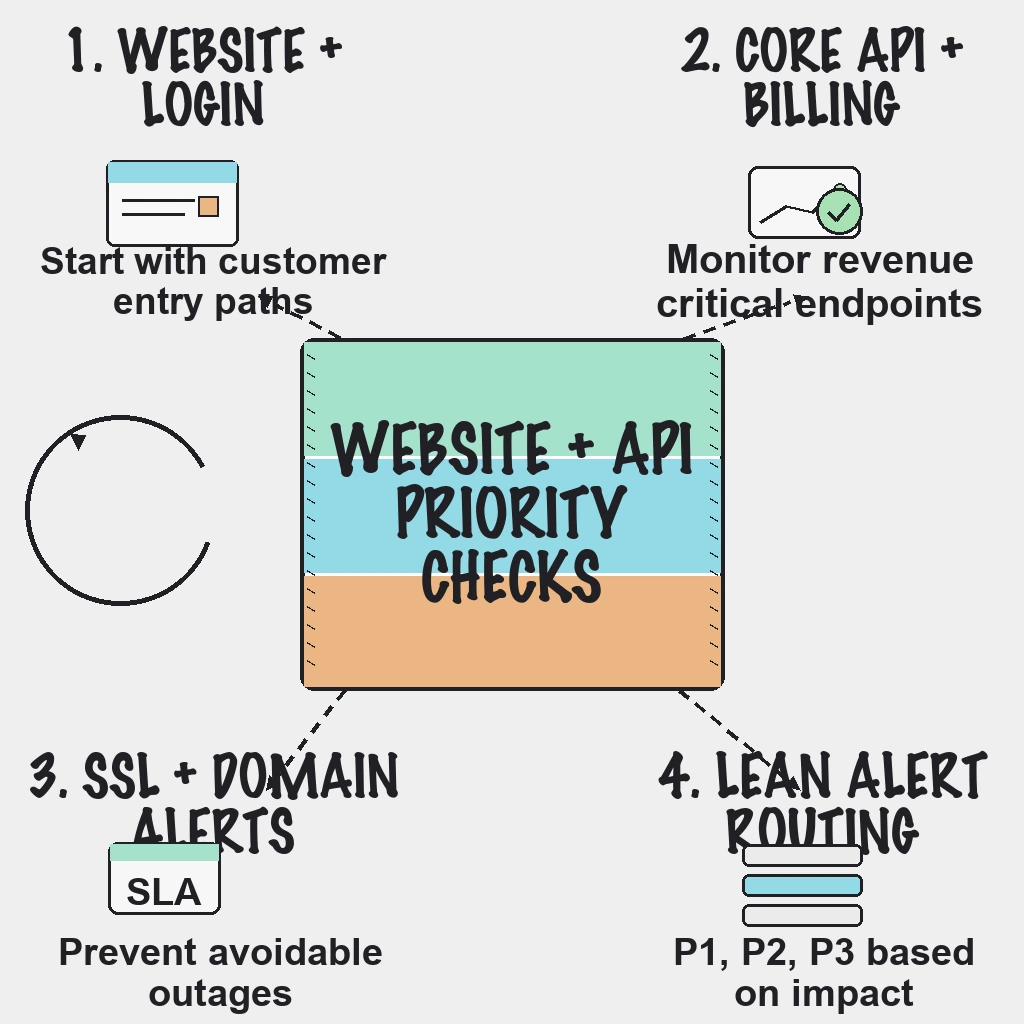
Monitor in this order: the homepage and login, then the core API endpoints tied to revenue or onboarding, then checkout, billing and auth flows, then SSL certificates and DNS, then background jobs, and finally the public status page workflow. Start with 8 to 15 high-signal checks. Run revenue paths every 30 to 60 seconds and everything else every 2 to 5 minutes, and require confirmation from more than one region before anything pages a human.
Why This Matters
A small team has one scarce resource during an incident: attention. Every check you add either protects that attention or spends it. A check that fires on a transient blip at 3am costs more than it is worth, because the next real page gets a slower, more skeptical response. A missing check on the login flow costs even more, because your customers become the monitoring system and your support inbox becomes the alert channel.
Priority order also matters because trust compounds. If the first ten checks are noisy, people mute the channel, and nothing you add later gets read.
The Priority Order, With Reasons
| Priority | What to monitor | Check type | Suggested interval |
|---|---|---|---|
| 1 | Homepage and login page | HTTP status plus keyword | 1 minute |
| 2 | Revenue and onboarding APIs | API check with assertions | 30 seconds to 1 minute |
| 3 | Checkout, billing and auth flows | Multi-step API check | 1 to 2 minutes |
| 4 | SSL certificates and DNS | SSL expiry and DNS checks | Warnings at 30, 14 and 7 days |
| 5 | Cron and background jobs | Heartbeat | Matches the job schedule |
| 6 | Status page and comms path | HTTP check plus templates | 5 minutes |
Homepage and login first. A plain status code check is not enough, because many real failures return a 200 with an error template, an empty app shell or a maintenance banner. Add a keyword assertion for text that only appears when the page rendered properly, such as the login form label, and make sure that text never appears on your error page.
Revenue and onboarding APIs. Assert on the status code and on one meaningful field in the response body. A health endpoint that returns 200 because the web process is alive tells you nothing about the database, the queue or the payment provider. If you use a health endpoint at all, have it touch its real dependencies with a short timeout on each, and keep it cheap.
Checkout, billing and auth. These are journeys, not endpoints. Chain the requests a real client makes (get a token, create a cart, add an item, fetch the price) and pass values between steps. Use a dedicated test account and your payment provider's test mode, never a real card, and keep write steps idempotent or clean up after them so monitoring does not pollute production data.
SSL and DNS. These are the most preventable outages on the list. Certificate lifetimes are getting shorter: Let's Encrypt has announced it will move from 90-day to 45-day certificates by 2028, in line with the CA/Browser Forum Baseline Requirements. Shorter lifetimes mean renewal automation runs more often and has less slack when it breaks. If your automation normally renews well before 30 days remain, treat any expiry warning as proof that automation has already failed. DNS checks catch records changed by mistake and provider problems. Domain registration renewal sits outside uptime checks, so turn on auto-renew at your registrar and give it a named owner.
Background jobs. Order exports, invoice runs and sync jobs fail silently. A heartbeat monitor expects a ping on a schedule and alerts when it does not arrive. Ping on success, not on start, and set a grace period that matches the job: 10 to 15 minutes for an hourly job, around an hour for a nightly one.
The status page. Check that it loads and that update templates exist before you need them.
Field note: A health endpoint that only proves the process is alive is a comfort blanket, not a monitor. The checks that earn their keep exercise the same dependencies a customer request does: connection pools, the database, the queue and the third party you forgot you depend on.
What to Leave for Later
- Internal tools with no customer impact. They can live on a business-hours dashboard.
- Dozens of near-duplicate endpoints. One representative check per service and failure domain is enough to start.
- Paging on single latency spikes. Track response time, and alert only on sustained degradation.
- Mirroring vendor status pages. Monitor the step in your own flow that calls the vendor instead.
Thresholds That Keep a Small Setup Quiet
Timeouts. Use 10 to 15 seconds for page checks and 5 to 10 seconds for APIs that normally answer in well under a second. A 30-second timeout hides an experience customers already consider broken; a 2-second timeout flaps on every cold start.
Confirmation. Alert only when a failure is confirmed from at least two regions, or by two consecutive failures. The detection math is simple: a 1-minute interval with two consecutive failures confirms a real outage in roughly 2 to 3 minutes, fast enough for nearly every lean team.
Latency. Alert when response time exceeds roughly three times your normal baseline for several consecutive checks, not on one slow response.
Maintenance windows. Schedule them for every planned deploy and migration so expected failures never page anyone.
Field note: The uncomfortable truth is that most noisy monitoring setups were noisy on day one. Teams add checks quickly and promise to tune thresholds later, and later arrives as a muted Slack channel. Tune each check before you add the next one.
Practical Alert Routing Model
- P1: Customer-facing outage, auth failure or checkout failure. Pages the on-call person immediately.
- P2: Partial degradation or elevated errors. Goes to the team channel and escalates if unacknowledged.
- P3: Low-impact issues such as a certificate warning at 30 days. Becomes a business-hours ticket.
If nobody can say who fixes a check, it is not ready to alert.
A 90-Day Rollout
Week 1
- List the top five user actions that must always work.
- Add external uptime and keyword checks for each critical path.
- Set notification channels by severity and name an owner per check.
Days 8 to 30
- Add API checks with auth and response assertions, then one multi-step check for the most valuable journey.
- Configure SSL expiry warnings at 30, 14 and 7 days, plus DNS checks for your primary domains.
- Add heartbeats for the jobs that move money or data.
- Prepare first-incident and recovery update templates.
Days 31 to 90
- Review every alert that fired. Tune or delete checks that paged without customer impact.
- Map checks to explicit service ownership.
- Run one incident simulation and measure time to first public update.
How PingAlert Fits
PingAlert covers this baseline without stitching tools together: HTTP and keyword checks for pages, API monitoring with methods, headers and body assertions, multi-step API checks that pass variables between steps, SSL monitoring with expiry warnings, DNS checks and heartbeat monitors for cron jobs. Checks run from multiple regions with quorum-based confirmation, and alerts route to Slack, Microsoft Teams, Discord, email, SMS or webhooks with escalation policies and maintenance windows. The Starter plan's 25 monitors at 2-minute checks fits a typical lean baseline; Professional adds roughly 30-second checks and five regions when revenue paths need faster detection. See website monitoring for how the pieces fit together.
Reader Questions, Answered
How many checks should a small SaaS team start with?
A focused set of 8 to 15 high-signal checks is a practical starting point. Expand only after the first set has run for a few weeks without false alarms.
Should monitoring run from multiple regions?
Yes, especially for customer-facing services. Multi-region confirmation reduces false positives caused by one probe's network, and it shows you when an outage is regional rather than global.
Why include SSL and DNS monitoring in an uptime strategy?
Certificate and DNS failures cause customer-visible outages that are entirely preventable. They also break all at once, on a predictable date.
How often should checks run?
Every 30 to 60 seconds for revenue paths, every 2 to 5 minutes for supporting pages. Faster checks only help if your team can respond at that speed.
Wrap Up
Lean monitoring is about signal quality, not monitor count. Ten checks that everyone trusts beat a hundred that everyone mutes. Get the priority order right, tune before you expand, and make every alert mean someone has to act.
Not sure what your stack needs? Build a requirements profile with the free uptime monitoring requirements checklist, then compare plans on the pricing page.
Related guides:
- Why SMBs leave website monitoring tools
- Uptime monitoring for small teams: alert fatigue playbook
- How synthetic monitoring helps
- Global website uptime monitoring