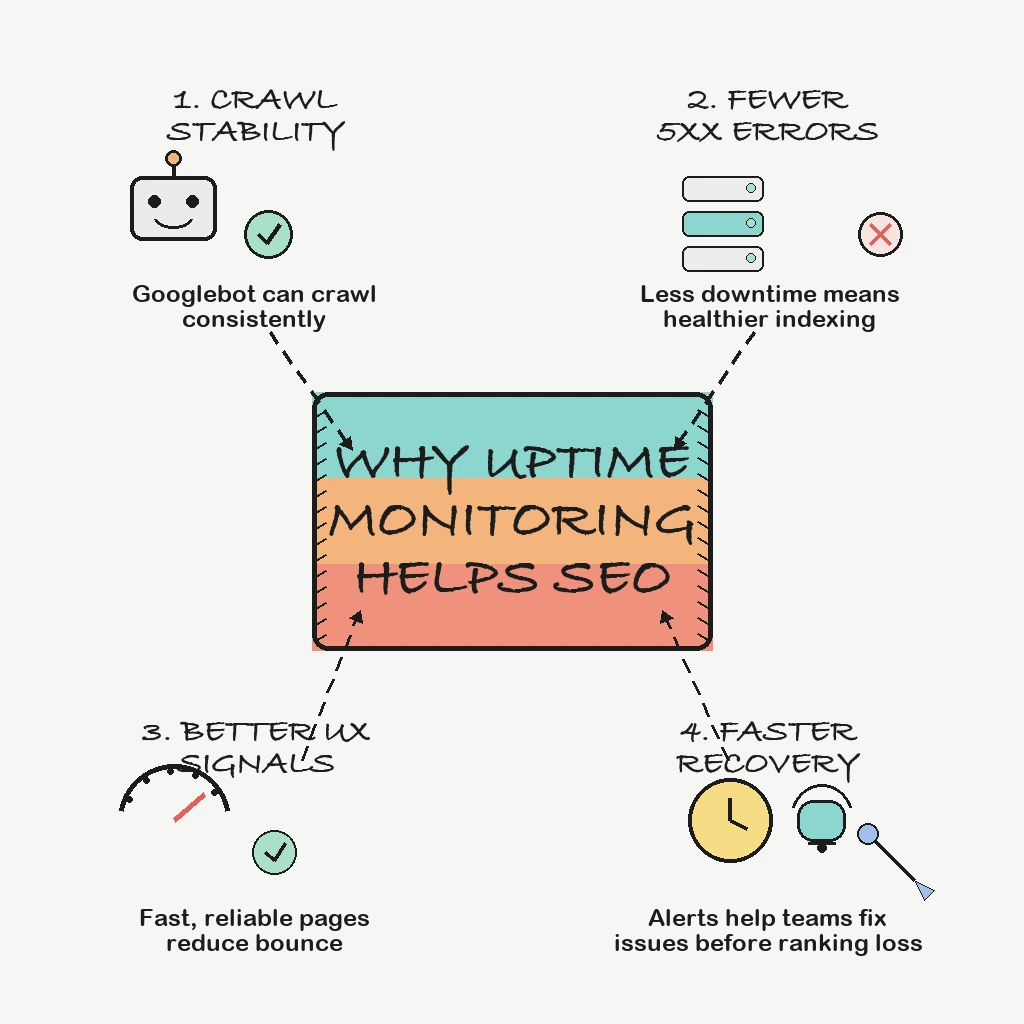
Uptime is not a line item in Google's ranking documentation, and anyone who tells you "Google rewards 99.99% uptime" is guessing. What Google does document, in detail, is what its crawlers do when your site returns server errors, times out, or fails to serve robots.txt. That documentation is clear enough to act on: short failures slow crawling, persistent failures can remove pages from the index, and a few specific mistakes can stop crawling of an entire site.
This guide sticks to what Google's own documentation says, then shows how uptime monitoring keeps you on the right side of it.
Direct Answer
Downtime affects SEO through crawling and indexing. Google's documentation says 5xx and 429 responses make its crawlers slow down, content from 5xx responses is ignored, and URLs that persistently return server errors are removed from the index. A robots.txt file that cannot be fetched can pause crawling of the whole site. Uptime monitoring helps by detecting these errors within minutes, so they stay short and never become persistent, and by watching the files and pages that matter most to crawlers.
Why This Matters
Organic traffic is earned slowly and lost quietly. A checkout outage gets noticed in minutes because revenue drops. A category page that returns 500 to Googlebot every night during a batch job may go unnoticed for weeks, because humans browsing in the daytime never see it. By the time Search Console shows the problem, the crawler has already been seeing it for a while.
What Google Says Happens When Your Site Returns Errors
Google's page on how HTTP status codes affect its crawlers is the primary reference here. The key points:
- 5xx and 429 slow crawling. Server errors and "too many requests" responses prompt Google's crawlers to temporarily slow down. Google treats 429 as a signal that the server is overloaded.
- The slowdown scales with the problem. The crawl rate decrease is proportionate to the number of individual URLs returning a server error.
- Error content is ignored. Content Google receives from a URL returning 5xx is not used.
- Recovery is gradual. Once the server responds with 2xx again, Google gradually increases the crawl rate.
- Persistent errors cost you pages. Already indexed URLs are kept for a while, but Google's indexing pipeline removes URLs that persistently return a server error.
Google does not publish a fixed number of hours or days after which "persistent" begins. The safe operating assumption is that any server error lasting more than a short incident is an SEO incident, not just an ops incident.
The robots.txt Trap
The single most damaging failure for SEO is often not the homepage. It is robots.txt. Google's robots.txt documentation says that if the file exists but cannot be fetched because of a server error, Google stops crawling the site for the first 12 hours while it keeps retrying. For up to 30 days after that it uses the last good copy. After 30 days, if the site is otherwise available, Google behaves as if there is no robots.txt; if the site has general availability problems, it stops crawling. DNS failures, timeouts and reset connections on robots.txt are treated as server errors too.
Two practical rules follow. Monitor robots.txt as its own check, with a keyword assertion on a line you know is in the file. And never return 503 for robots.txt during maintenance: Google's guidance on pausing a site says explicitly that this blocks all crawling.
Field note: The uncomfortable truth is that robots.txt is usually served by the same stack as everything else, but nobody owns it. Give it a monitor and a name in the on-call runbook, because when it breaks, it breaks crawling for every page at once.
Soft Failures: When 200 Is the Problem
Not every failure shows up as a 5xx. If a page returns 200 but the content is an error message or an empty page, Search Console can report it as a soft 404. Google's guidance on planned downtime also warns against returning 200 for server errors or downtime. Common causes are maintenance plugins, error templates served with the wrong status code, and JavaScript apps that render an empty shell when an API fails.
A status-code-only monitor will report these pages as healthy. Add keyword checks that look for content only present on a correctly rendered page, such as a product name or a heading, and confirm your error pages return a real error status.
Planned Downtime the Right Way
Google's documented approach for temporary unavailability is a 503 response, optionally with a Retry-After header that Googlebot may use to decide when to recrawl. Its guidance on pausing a site adds limits:
- An urgent full shutdown of 1 to 2 days can use an informational error page with a 503 status.
- While a page returns 503, Google cannot refresh its title, description, metadata or structured data.
- Disabling the whole site is an extreme measure for a very short period, a few days at most. Google recommends limiting functionality, for example disabling the cart and adding a banner, instead of removing the site from Search.
- Confirm the 503 is actually served, for example with curl, and keep robots.txt returning normally.
Uptime monitoring helps here in both directions. Maintenance windows stop expected 503s from paging your team, and the monitor confirms that normal 200 responses return when the window ends. A maintenance mode that accidentally stays on over a weekend is a classic quiet SEO incident.
Slow Responses and Crawling
Google's crawl budget guide says that when a site responds quickly, its crawl capacity limit goes up, and when latency rises or the site returns server errors, the limit goes down and Google crawls less. That guide is written mainly for large sites (roughly a million or more unique pages, or 10,000 or more that change daily), so most small sites will not feel crawl budget limits. Response time monitoring still matters for them, because a slow origin is often an outage in progress.
On rankings, Google's page experience documentation says Core Web Vitals are used by its ranking systems, but that good scores do not guarantee top rankings. Core Web Vitals measure real user experience in the browser, which is different from the server response time an uptime monitor records. Treat uptime monitoring as protection for crawlability and availability, not as a Core Web Vitals tool.
Field note: Peak data is peak traffic for crawlers too. Nightly exports, sitemap regeneration and reindexing jobs that compete with live traffic are a common source of overnight 5xx errors that only Googlebot sees. Schedule them, throttle them and watch them with heartbeats.
What to Monitor for SEO Protection
- Homepage and top organic landing pages, with keyword assertions
- robots.txt, with a keyword check on a known line
- XML sitemap URLs
- Category and product pages with high search demand
- API endpoints used to render critical pages
- SSL certificate validity, since an expired certificate blocks both users and crawlers
- DNS for your primary domain
- Response time thresholds for important templates
- Heartbeats for jobs that regenerate sitemaps or feeds
Search Console Is the Rear-View Mirror
Search Console's Crawl Stats report includes host status for robots.txt fetching, DNS resolution and server connectivity, and flags issues from the past 90 days, with a red status when the most recent issue was within the last week. It is excellent for confirming what Google saw. It is not an alerting system. Uptime monitoring is the windshield: it tells you about the 500s now, while they are still short.
How PingAlert Helps
PingAlert's website monitoring runs HTTP and keyword checks from multiple regions with quorum-based confirmation, so you can watch landing pages, robots.txt and sitemaps without false alarms from a single probe. SSL monitoring warns before certificates expire, DNS checks watch your records, heartbeat monitors cover sitemap and feed jobs, and maintenance windows keep planned 503s quiet. Alerts route to Slack, Microsoft Teams, email, SMS or webhooks.
Reader Questions, Answered
Does downtime directly hurt Google rankings?
Google documents the effect on crawling and indexing: server errors slow crawling, and URLs that persistently return them are removed from the index. A page that is not indexed cannot rank, so prolonged errors matter even though Google does not describe uptime as a ranking factor.
Is uptime monitoring a ranking factor?
No. Monitoring is a tool, not a signal Google sees. What it protects is crawlability and availability, which Google's documentation does tie to indexing.
Should I return 503 or 200 during maintenance?
Return 503 for short planned downtime, optionally with Retry-After, and never for robots.txt. For longer closures, Google recommends keeping the site up with limited functionality.
How quickly should teams respond to downtime for SEO?
Detect in minutes and recover before errors become persistent. Use 1 to 2 minute checks on top landing pages and robots.txt.
Wrap Up
SEO depends on availability as much as on content. You do not need to guess at ranking factors to justify uptime monitoring: Google's own documentation explains how server errors, robots.txt failures and soft errors affect crawling and indexing. Keep those failures short, catch the quiet ones, and your content gets judged on its merits. For what to monitor first, see the website and API monitoring priority checklist, or build your own profile with the free uptime monitoring requirements checklist.
Ready to protect search visibility without adding tool sprawl? Compare plans on the pricing page.
Related guides:
- How synthetic monitoring helps
- Status page best practices for customer trust
- Global website uptime monitoring
Sources and references
- Google: How HTTP status codes affect Google's crawlers
- Google: How Google interprets the robots.txt specification
- Google Search Central: Temporarily pause or disable a website
- Google Search Central Blog: How to deal with planned site downtime
- Google: Optimize your crawl budget
- Google Search Central: Understanding page experience in Google Search results
- Search Console Help: Crawl Stats report
- Google Search Central: Creating helpful, reliable, people-first content
- Google Search Central: About AI features and your website
- Google Search Central: Publication date and lastmod guidance