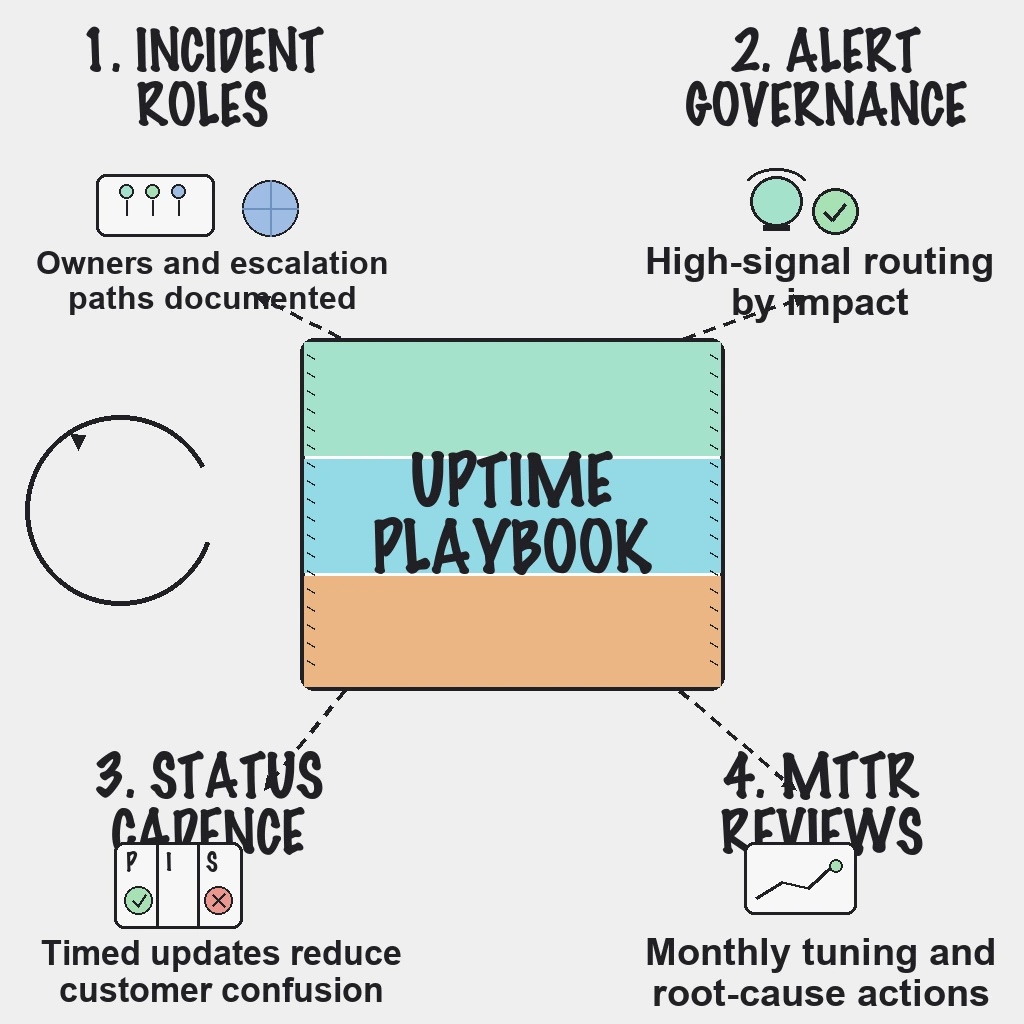
Teams often ask how to improve uptime without adopting a heavy observability stack too early. In practice, the fastest gains come from three unglamorous habits: monitoring the paths customers actually use, routing alerts to the right owner, and communicating on a schedule during incidents. This playbook starts with why uptime deserves that attention, explains how monitoring works, and then lays out a monitoring-first workflow you can run with a small team.
Direct Answer
- Monitor customer-critical website and API endpoints from multiple regions, starting with the revenue path.
- Route alerts by severity and explicit ownership, so only confirmed customer impact pages someone.
- Publish status updates on a fixed cadence during incidents.
- Track MTTD, MTTA, MTTR, false-positive rate and time to first update, and tune monthly.
Why This Matters
Most reliability programs do not stall on tooling. They stall on operating consistency:
- No clear incident ownership by service.
- High-impact and low-impact alerts mixed in one stream.
- Status communication handled ad hoc in chat.
- Follow-up tasks forgotten after resolution.
Each gap is cheap to fix and expensive to ignore. The rest of this playbook addresses them in order.
Why Uptime Is a Growth Lever
Uptime is not just a technical metric. For any business whose storefront is a website or an app, it is a business KPI, and it pays back in four places.
- Revenue protection. For e-commerce and SaaS, downtime is a leak in the funnel. A visitor who cannot sign up or check out rarely waits; they leave, and some do not come back.
- Search visibility. Google's documentation says 5xx server errors cause its crawlers to slow down, and URLs that keep returning server errors are eventually dropped from the index. Brief blips are tolerated; persistent errors are not. Our guide on why uptime monitoring matters for SEO goes deeper.
- Customer trust and churn. Reliability builds brand equity. Repeated outages give customers a reason to evaluate more stable competitors.
- Team productivity. When internal tools or APIs go down, work halts, and every unplanned firefight is time not spent building.
There is also a contractual angle. Service level agreements (SLAs) are commitments to customers about minimum uptime, and missing them often means service credits or penalties. Monitoring data is the evidence you use to defend, or honestly report against, those commitments.
Field note: Treat uptime as a product decision, not an ops chore. When the business agrees which journeys matter most and what an hour of downtime on each one costs, the monitoring and on-call choices that follow stop being arguments.
How Uptime Monitoring Works
External monitoring sends requests to your site or API from servers in several locations at a set interval, often every 30 to 60 seconds for critical paths. Each check compares the response with what you expect: a status code such as 200, a keyword in the body, a response within a time limit. A timeout or an error code such as 500 or 503 counts as a failure, and confirmed failures trigger alerts to email, chat or SMS.
Basic up-or-down checks are the foundation, but three challenges catch even experienced teams:
- False positives. One probe location can fail while the site is fine for everyone else. Without multi-region confirmation, that becomes noise and alert fatigue.
- Maintenance windows. If you do not pause or flag monitoring during planned work, reports show downtime that customers never experienced, or real downtime gets excused.
- Partial outages. The homepage loads while the checkout API fails. A single homepage check misses this, so monitor the transaction path too.
Latency matters as much as availability. A site that technically responds but takes many seconds is a brownout, and for users a slow site can be as damaging as a down one.
The Monitoring-First Workflow
1. Prioritize high-signal checks
Start with endpoints tied directly to customer outcomes:
- Homepage and login.
- Core API health, plus one real transaction.
- The revenue-critical path, such as signup or checkout, chained as a multi-step API check where possible.
- SSL certificate validity and expiry warnings.
PingAlert covers these with HTTP and keyword checks, API and multi-step API checks, and SSL certificate checks, run from multiple regions with quorum-based confirmation so a single failing location does not page anyone. See website monitoring, API monitoring and SSL monitoring.
2. Route by impact and ownership
Define severity paths before incidents:
- P1: customer-facing outage, immediate on-call page.
- P2: partial degradation, urgent team channel escalation.
- P3: low-impact warning, business-hours review.
Assign an owner to every monitor. An alert without an owner is just noise with a timestamp.
3. Keep communication on schedule
Post public status updates on a fixed cadence, for example every 20 to 30 minutes for major incidents, until full recovery. A branded status page with subscriber notifications turns that cadence into fewer support tickets and calmer customers.
4. Measure and tune monthly
Track:
- Mean time to detect (MTTD) and mean time to acknowledge (MTTA).
- Mean time to resolve (MTTR) by incident category.
- False-positive alert rate.
- Time to first public update.
- Response-time trends on critical paths.
Uptime Targets, SLOs and SLAs
Pick targets based on business impact, not habit. Many SaaS teams start at 99.9% for core services, which allows about 43 minutes of downtime in a 30-day month, then tighten as operational maturity grows. Set internal service level objectives (SLOs) a little stricter than any external SLA so you have room to react before a commitment is breached. Use maintenance windows consistently, so the numbers you report match what customers felt.
Field note: Baselines and alert hygiene come before anything clever. Teams eager for anomaly detection on response times get far more value once they have months of clean, well-owned uptime and latency data to compare against.
7-Step Action Checklist
- Document incident roles and escalation owners.
- Build customer update templates for each incident state.
- Separate critical alerts from noisy ones, and require multi-region confirmation before paging.
- Write runbooks for high-risk services.
- Run response drills quarterly.
- Publish concise post-incident timelines.
- Review recurring root causes monthly.
Reader Questions, Answered
What uptime target should most SaaS teams aim for?
Many teams start with 99.9% for core services and tighten targets as operational maturity improves. The right target depends on business impact and customer expectations.
Is uptime enough, or should teams also monitor latency?
Monitor both. A service can be technically up but too slow to deliver an acceptable experience, so add response-time thresholds on critical paths.
What should every status page update include?
An impact summary, affected components, mitigation progress and the time of the next update.
How often should teams update during incidents?
Use fixed, time-based updates, usually every 20 to 30 minutes for major incidents, even when nothing has changed.
What is the best way to reduce alert fatigue?
Page only on service-impacting alerts confirmed across regions, deduplicate notifications, and assign an owner to every monitor.
Wrap Up
Reliable uptime is mostly an operations discipline: focused monitoring, clear alert ownership and predictable communication. Get those right and uptime stops being a recurring worry and becomes one of the quieter growth levers a business has, protecting revenue, search visibility and trust at once. Scope your setup with the free uptime monitoring requirements checklist, then compare plans to put it into practice.
Related guides:
- Website and API uptime monitoring priorities
- Incident management workflow: the first 30 minutes
- How synthetic monitoring helps
- Status page best practices for customer trust